
Hyundai Elantra: Convenient Features of Your Vehicle / Driver Assist System
Rear View Monitor
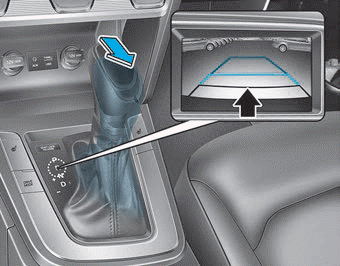
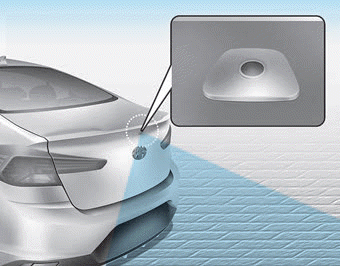
The Rear View Monitor will activate when the engine is running and the shift lever is in the R (Reverse) position.
This is a supplemental system that provides a view of the area behind the vehicle through the display audio or AVN screen while the vehicle is in the R (Reverse) position.
WARNING
The Rear View Monitor is not a safety device. It only serves to assist the driver in identifying objects directly behind the middle of the vehicle. The camera does NOT cover the complete area behind the vehicle.
WARNING
- Never rely solely on the Rear View Monitor when backingup.
- ALWAYS look around your vehicle to make sure there are no objects or obstacles before moving the vehicle in any direction to prevent a collision.
- Always pay close attention when the vehicle is driven close to objects, particularly pedestrians, and especially children.
NOTICE
Always keep the camera lens clean. The camera may not work normally if the lens is covered with dirt or snow.
 Defroster
NOTICE
To prevent damage to the conductors bonded to the inside surface of the rear
window, never use sharp instruments or window cleaners containing abrasives to clean
the window.
If you want t ...
Other information:
Hyundai Elantra AD (2016-2020) Service Manual: Power Door Locks
Components and Components Location
Component Location
1. DDM (Driver Door Module)2. ADM (Assist Door Module)3. SJB (Smart Junction Block)4. Door lock knob5. Trunk lid actuator6. Door latch module7. Door lock/unlock switch8. RLDM (Rear Left Door Module)9. RRDM (Rear Right Door Module)
Power D ...
Hyundai Elantra AD (2016-2020) Service Manual: Components and Components Location
Components
1. Rear seat back assembly [LH]2. Rear seat back assembly [RH]3. Rear back armrest4. Rear seat cushion assembly
...
