
Hyundai Elantra: Convenient Features of Your Vehicle / Driver Position Memory System
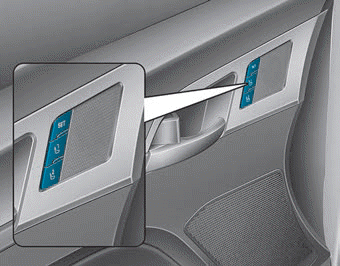
The Driver Position Memory System is provided to store and recall the following memory settings with a simple button operation.
- Driver's seat position
- Side view mirror position
- Instrument panel illumination intensity
If the battery is disconnected, the position memory will be lost and the driving positions must be stored in the system again.
If the Driver Position Memory System does not operate normally, have the system checked by an authorized HYUNDAI dealer.
WARNING
Never attempt to operate the driver position memory system while the vehicle is moving.
This could result in loss of control, and an accident causing death, serious injury, or property damage.
Storing Positions into Memory
1. Check that the shift lever is in P (Park) while the ignition switch is in the ON position.
2. Adjust the driver’s seat position, side view mirror position and instrument panel illumination intensity to positions comfortable for the driver.
3. Press the SET button. The system will beep once and notify you "Press button to save settings"on the LCD display.
4. Press one of the memory buttons (1 or 2) within 4 seconds. The system will beep twice when the memory has been successfully stored.
5.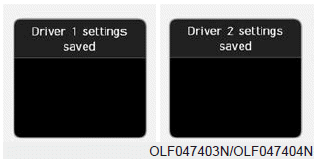
"Driver 1 (or 2) settings saved" will appear on the LCD display.
Recalling Positions from Memory
1. Check that the shift lever is in P (Park) while the ignition switch is in the ON position.
2. Press the desired memory button (1 or 2). The system will beep once, and then the driver’s seat position, side view mirror position and instrument panel illumination intensity will automatically adjust to the stored positions.
3.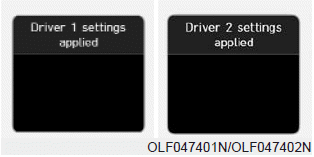
"Driver 1(or 2) settings is applied" will appear on the LCD display.
NOTICE
- While recalling the "1" memory position, pressing the SET or 1 button temporarily stops the adjustment of the recalled memory position. Pressing the 2 button recalls the "2" memory position.
- While recalling the "2" memory position, pressing the SET or 2 button temporarily stops the adjustment of the recalled memory position. Pressing the 1 button recalls the "1" memory position.
- While recalling the stored positions, pressing one of the control buttons for the driver's seat, side view mirror or instrument panel illumination will cause the movement of that component to stop and move in the direction that the control button is pressed.
Resetting the Driver's Seat Memory System
Take the following procedures to reset the driver's seat memory system, when it does not operate properly.
To reset the driver's seat memory system
1. Set the ignition switch to the ON position, set the gear in P (Park), and open the driver's door.
2. Operate the control switch to set the driver's seat and seatback to the foremost position.
3. Simultaneously press the SET button and push forward the seat movement switch over 2 seconds.
While resetting the driver's seat memory system
1. It starts with the notification sound.
2. The driver's seat and seatback is adjusted to the rearward position with the notification sound.
3. The driver's seat and seatback is re-adjusted to the default position (central position) with the notification sound.
However, in the following cases, the resetting procedure and the notification sound may stop.
- The memory button is pressed.
- The control switch is operated.
- The gear is shifted out of P (Park).
- The driving speed exceeds 2 mph (3 km/h).
- The driver's door is closed.
NOTICE
- Reattempt to do the resetting procedure again, when the resetting procedure incompletely stops or the notification sound do not stop.
- Make sure that there is no obstacle around the driver's seat in advance of resetting the driver's seat memory system.
Easy Access Function
When exiting the vehicle the driver’s seat will move rearward when the engine is turned off and the shift lever in P (Park).
When entering the vehicle the driver’s seat will move forward when the ignition switch is placed to the ACC position.
You can activate or deactivate the Easy Access Function from the User Settings Mode on the LCD display.
For more details, refer to the "LCD Display" section in this chapter.
 Theft-Alarm System
This system helps to protect your vehicle and valuables. The horn will sound
and the hazard warning lights will blink continuously if any of the following occur:
- A door is opened without using th ...
Other information:
Hyundai Elantra AD (2016-2020) Service Manual: Oil Pump Components and Components Location
Components
1. Timing chain cover2. Outer roter3. Inner roter4. Oil pump cover5. Relief plunger6. Relief spring7. Relief plug8. O-ring (suction side)9. O-ring (discharge side)
...
Hyundai Elantra AD (2016-2020) Owners Manual: Door Locks
Operating Door Locks from Outside the Vehicle
Mechanical key
If you lock the driver's door with a mechanical key, all vehicle doors will lock.
If you unlock the driver's door with a mechanical key, the driver's door will unlock
and the passenger doors will unlock according to the ...
